VPS for website
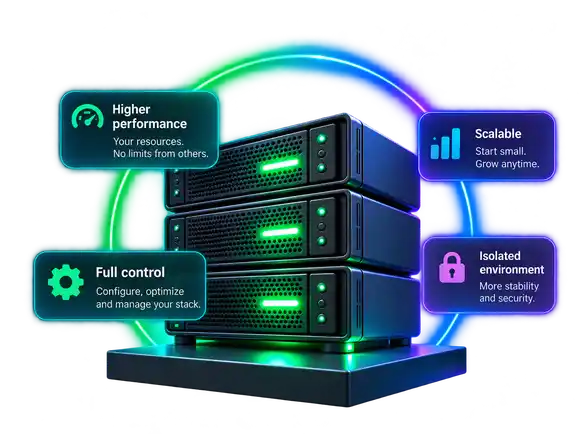
A VPS for website hosting is an isolated virtual server where you control the operating system, web stack and allocated resources.
Decide whether you actually need one, size it from real workload instead of guessed visitor counts, choose how you will manage it, and plan migration and growth before you buy.
Disclosure: the editor has a professional relationship with VDSina. Partner links may generate commission. Editorial and commercial disclosure.
Do you actually need a VPS?
Start with the diagnosis, not the server size. A VPS is useful when hosting limits, software restrictions, isolation needs or sustained resource pressure are the real problem. It is not a cure for an inefficient site.
- Stay on shared hosting when the site is light, stable and does not need root access or a custom stack.
- Optimize first when one plugin, query, bot, cron job or cache problem is creating the resource spike.
- Move to VPS when legitimate CPU, memory, process, I/O or software requirements repeatedly hit the current hosting boundary.
- Before moving, confirm that you are ready for the operating-system responsibilities of a self-managed VPS: use the VPS Security Checklist, VPS Backup Strategy and VPS Monitoring as the production baseline.
VPS Fit / Readiness Checker
Mark the situation that is true now. The result is a decision pattern, not a performance guarantee.
Use real evidence from the current host and workload.
VPS configurations for common website workloads
Compare current VPS configurations by workload first, then use the dedicated sizing guide to calculate CPU, RAM and storage from measured demand instead of guessed visitor counts. Open the full VPS sizing guide →
- Different workloads need different headroom: WordPress depends heavily on PHP workers, caching and plugins; WooCommerce adds more uncached sessions, checkout and database work; multiple websites compete for the same CPU, RAM, storage and process limits.
- Before paying, check storage growth, transfer allowance, IP terms, server location, backup policy, upgrade path, management scope, control-panel or license costs, and current billing terms.
- Server location affects network latency to your users. A CDN such as Cloudflare can offload static delivery and some origin requests, but it does not remove dynamic PHP, application or database work from the VPS.
- Treat the displayed VPS price as infrastructure pricing: optional panel licenses, external backups, administration, monitoring or other services can be separate depending on what you choose.
1 vCPU / 1 GB / 10 GB
- Transfer
- 1 TB/month
- Price
- $0.07/day · $2.10/month
- Best fit
- Lab, test, very light static/cached site
- Watch
- Little memory headroom for DB, panel, mail or several workers
1 vCPU / 2 GB / 40 GB
- Transfer
- 32 TB/month
- Price
- $0.50/day · $15/month
- Best fit
- Small site or lean CMS
- Watch
- Check panel, PHP/app workers and database memory together
2 vCPU / 4 GB / 80 GB
- Transfer
- 32 TB/month
- Price
- $0.67/day · $20.10/month
- Best fit
- Business site or typical WordPress workload
- Watch
- Validate uncached concurrency, cron and database latency
4 vCPU / 8 GB / 160 GB
- Transfer
- 32 TB/month
- Price
- $1.34/day · $40.20/month
- Best fit
- Heavier dynamic site, larger DB or several active sites
- Watch
- Separate workloads when isolation or independent scaling matters
Current VDSina Standard prices checked October 13, 2026.
Prices and provider terms can change. The provider currently lists daily billing and a 10 Gbit/s Internet port for Standard VPS plans. Verify the order page before paying.
Check current configurationsHow these recommendations are made
- Size from workload evidence, not fixed visitor-count promises.
- Optimize first when the application, query, bot or cache setup is the real bottleneck.
- Separate infrastructure price from panel, administration, backup and monitoring costs.
- Provider-specific prices and features are date-checked; affiliate commission does not change the sizing logic.
What to check before choosing a VPS provider
A cheap plan is not automatically a good website VPS. Compare the infrastructure terms that affect performance, operations and the cost of moving later.
- Compute: CPU model/resource policy, RAM, storage type and expected I/O.
- Network: monthly transfer, port speed, overage, IP terms, region and route testing.
- Platform: supported operating systems, images, panel options and license cost.
- Operations: snapshots/backups, firewall/DDoS controls, monitoring, upgrade path and support scope.
- Billing: daily/monthly cadence, renewal terms, add-ons and any current limits or extra charges.
- Do not assume provider support means managed server administration. Compare Managed vs Unmanaged VPS →
Choose how you will manage the server
The right VPS is also an operations choice. Pick the management path before you size the server, because the panel, operating system and administration model change both resource use and responsibility.
- FASTPANEL / control panel: simpler domains, SSL, PHP versions, databases and multiple-site administration; reserve RAM for the panel itself. FASTPANEL VPS Hosting →
- Pure Ubuntu / Linux: manage the web stack over SSH with Nginx or Apache, the runtime and database; more control, but more work stays with you. How to host a website on VPS →
- Windows Server: use this path when the website genuinely requires IIS or ASP.NET rather than treating Windows as a default hosting choice.
- Support is not the same as managed hosting: infrastructure help can remove blockers, but a self-managed VPS still leaves operating-system and application administration with the customer unless separate administration is agreed. Compare Managed vs Unmanaged VPS →
Check migration risk before you move
A useful migration plan starts before the VPS is purchased. Map the existing website stack and identify what can break during the move so the new server size and migration method are based on evidence.
- Inventory the CMS or framework, PHP/Node/Python versions, database engine, cron jobs, storage, DNS, SSL, email and external integrations.
- Separate real blockers from routine work: incompatible runtime versions, missing extensions, database assumptions and local file dependencies matter more than copying files.
- Decide whether email should move with the website or remain on a managed mail service to reduce deliverability and administration risk.
- Prepare a rollback path before DNS is switched, and validate the site on the new environment before production traffic moves.
- Choose the VPS configuration only after the migration inventory shows what the website actually needs.
One VPS or split the workload?
Keeping everything on one VPS is simple and economical until resource contention, blast radius or operational risk becomes more expensive than separation.
- Keep web, database and light background jobs together while the workload is small and predictable.
- A website plus automation, worker, API or AI-agent workload can share one VPS while the combined CPU/RAM/I/O demand stays predictable; split it when background work starts delaying user-facing requests.
- Separate staging when updates are risky enough that testing on production is unacceptable.
- Move the database or workers to another VPS when they need independent resources, scaling or failure isolation.
- Isolate client sites or critical services when one compromised or overloaded workload should not affect the rest.
- VDSina advertises a free local network up to 100 Gbit/s between servers in the same location, which can support web + database + worker layouts without sending internal traffic over the public internet.
Clone, test, scale, recover
The server should be able to evolve with the website without forcing a rebuild every time the workload changes. Use copies, monitoring and recovery points to make changes reversible.
- Clone before risky changes: test upgrades or architecture changes on a copy instead of experimenting first on production.
- Scale upward without rebuilding the stack: add resources when monitoring shows sustained CPU, memory or storage pressure.
- Recover from a known point: scheduled backups can be used to restore or create another server.
- Snapshot is not the same as a backup: a fast rollback point is useful, but recovery planning should also include an independent or portable copy outside the running server.
- Keep a portable copy: VDSina documents downloading a full server backup image as an .img.gz file for storage under your own control.
- Watch before you upgrade: sustained memory pressure, CPU saturation, storage growth and request queues are better upgrade signals than guessed traffic numbers.
- Provider basics worth checking at purchase time include the advertised 10 Gbit/s public port, DDoS protection, 24/7 support and daily billing.
VPS for website FAQ
Short answers to the buying and operating questions that matter before you move a website to a VPS.
What is a VPS for a website?
What is the best VPS for a website?
How much does a VPS for a website cost per month?
Can a $5 VPS host a website?
What are the downsides of VPS hosting?
Does a VPS include a domain name and email?
Can I upgrade a VPS later?
Does server location matter?
Does Cloudflare or another CDN mean I can buy a smaller VPS?
Is a snapshot the same as a backup?
What should I do immediately after buying a VPS?
What does the VPS price include?
What should I check before paying for a VPS?
Ready to choose your VPS?
Use the fit and sizing checks first, then compare the provider’s current configurations and order only the headroom your real workload needs. Standard plans are billed daily; prices and terms can change, so verify the current order page. Disclosure: the editor has a professional relationship with VDSina, and this site may receive a commission from qualifying partner purchases; the workload-based sizing method does not change.
Check current VPS configurations